WE ARE HIRING • WE ARE HIRING • 
Certified Flutter Consultants|RevenueCat Technical Partners|4.9★ Rated on Clutch|Top Rated Plus · Upwork|250+ Projects Delivered|200+ Happy Clients Worldwide|Delivering Excellence Since 2019|The Expertise Behind Every Product We Build|Helping Businesses Across Industries Innovate|Voices of the Companies We’ve Helped|
Home/Blogs/Struggling with Icloud Data Sync Issues? Let iCloud_Storage_Sync Handle It!
flutterMay 8, 2025

Struggling with Icloud Data Sync Issues? Let iCloud_Storage_Sync Handle It!

In the ever-evolving world of mobile app development, providing a seamless user experience across multiple devices is no longer a luxury — it’s a necessity. Enter the iCloud_Storage_Sync plugin, a game-changing solution for Flutter developers looking to harness the power of iCloud in their iOS applications. This comprehensive guide will walk you through everything you […]

Sagar rane

Flutter Developer

Struggling with Icloud Data Sync Issues? Let iCloud_Storage_Sync Handle It!

In the ever-evolving world of mobile app development, providing a seamless user experience across multiple devices is no longer a luxury — it’s a necessity. Enter the iCloud_Storage_Sync plugin, a game-changing solution for Flutter developers looking to harness the power of iCloud in their iOS applications. This comprehensive guide will walk you through everything you need to know about this powerful tool and how it can elevate your app to new heights.

🛠 Setting Up iCloud Container: A Step-by-Step Guide

Before diving into the features and implementation of the iCloud_Storage_Sync plugin, it’s crucial to properly set up your iCloud Container. Here’s a detailed walkthrough:

1. 👤 Access Your Apple Developer Account Log in and navigate to ‘Certificates, IDs & Profiles’.

2. 🆔 Create Necessary IDs Set up an App ID (if you haven’t already) and create an iCloud Containers ID.

3. 🔗 Link iCloud Container to Your App Assign the iCloud Container to your App ID in the Apple Developer portal.

4. 💻 Configure Xcode Enable the iCloud capability in your Xcode project and select your container.

Following these steps ensures that your app is properly set up to use iCloud storage, paving the way for seamless integration with the iCloud_Storage_Sync plugin.

🌟 Introduction: Bridging Flutter and iCloud

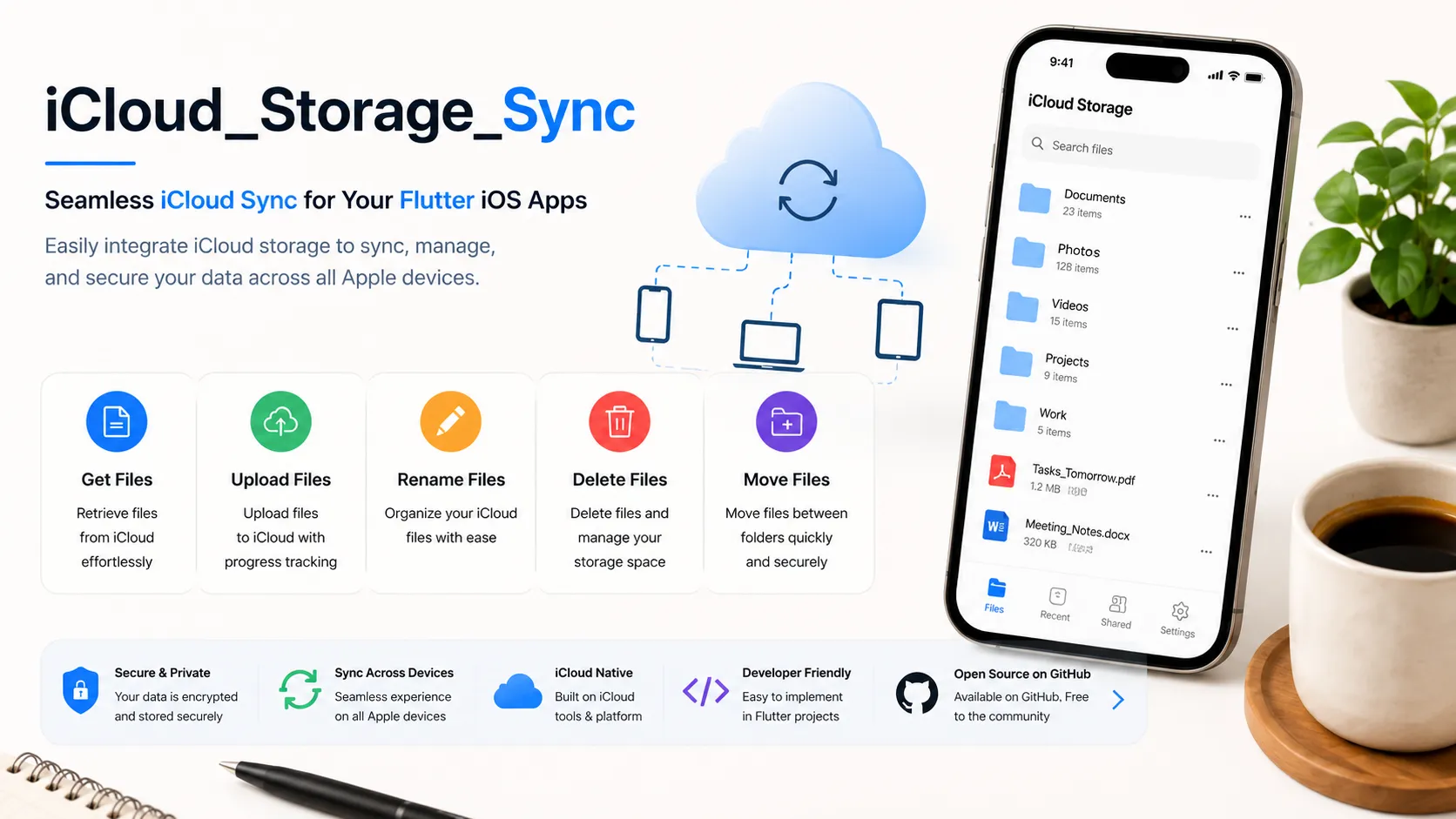
The iCloud_Storage_Sync plugin is designed to simplify the integration of iCloud storage capabilities into your Flutter iOS apps. By leveraging this plugin, you can offer your users:

– 🔄 Effortless backup and synchronization of app data
– 📱💻 A consistent user experience across all their Apple devices
– 🔒 Secure storage and retrieval of important information
– ☁️ Seamless integration with the iCloud ecosystem

Whether you’re building a note-taking app, a photo storage solution, or any application that benefits from cloud synchronization, iCloud_Storage_Sync provides the tools you need to create a robust, user-friendly experience.

✨ Features: A Deep Dive

Let’s explore the core features that make iCloud_Storage_Sync a must-have for your Flutter iOS project:

1. 📂 Get iCloud Files
Retrieve files stored in iCloud with ease. This feature allows your app to access user data across devices, ensuring a consistent experience no matter where they log in.

2. ⬆️ Upload Files to iCloud
Empower your users to store their important files securely in the cloud. With simple upload functionality, you can offer peace of mind and accessibility.

3. ✏️ Rename iCloud Files
Provide users with the flexibility to organize their cloud storage. The ability to rename files directly within your app adds a layer of convenience to file management.

4. 🗑️ Delete iCloud Files
Keep cloud storage tidy with straightforward file deletion. This feature ensures users can manage their storage space efficiently.

5. ↔️ Move iCloud Files
Enhance file organization by allowing users to move files between folders in their iCloud storage, all from within your app.

These features combine to create a comprehensive iCloud management system within your Flutter app, offering users the full power of cloud storage at their fingertips.

🚀 Getting Started: From Installation to Implementation

Step 1: 🛠️ Installation
Begin by adding the iCloud_Storage_Sync plugin to your ‘pubspec.yaml’ file:

dependencies:
icloud_storage_sync: ^0.0.1

Step 2: ⚙️ Install the Plugin
Run the following command in your terminal:

“flutter pub get”

Step 3: 💻 Usage in Your Dart Code
Import the plugin in your Dart files:

import 'package:icloud_storage_sync/icloud_storage_sync.dart';

With these simple steps, you’re ready to start integrating iCloud functionality into your Flutter app.

📋 Prerequisites: Setting the Stage for Success

Before diving into implementation, ensure you have the following in place:

– ☑️ An active Apple Developer account
– ☑️ A registered App ID and iCloud Container ID
– ☑️ iCloud capability enabled and assigned to your app
– ☑️ iCloud capability properly configured in Xcode

🧰 API Examples: Bringing iCloud to Life in Your App

Let’s explore how to implement each of the core features in your Flutter app:

📥 Getting iCloud Files
Retrieve a list of files stored in iCloud:

Future<List<CloudFiles>> getCloudFiles({required String containerId}) async {
return await icloudSyncPlugin.getCloudFiles(containerId: containerId);
}

📤 Uploading Files to iCloud
Upload files to iCloud with progress tracking:

Future<void> upload({
required String containerId,
required String filePath,
String? destinationRelativePath,
StreamHandler<double>? onProgress,
}) async {
await icloudSyncPlugin.upload(
containerId: containerId,
filePath: filePath,
destinationRelativePath: destinationRelativePath,
onProgress: onProgress,
);
}

🏷️ Renaming iCloud Files
Allow users to rename their files in iCloud:

Future<void> rename({
required String containerId,
required String relativePath,
required String newName,
}) async {
await icloudSyncPlugin.rename(
containerId: containerId,
relativePath: relativePath,
newName: newName,
);
}

🗑️ Deleting iCloud Files
Implement file deletion functionality:

Future<void> delete({
required String containerId,
required String relativePath,
}) async {
await icloudSyncPlugin.delete(
containerId: containerId,
relativePath: relativePath,
);
}

🔀 Moving iCloud Files
Enable users to organize their files by moving them within iCloud:

Future<void> move({
required String containerId,
required String fromRelativePath,
required String toRelativePath,
}) async {
await IcloudSyncPlatform.instance.move(
containerId: containerId,
fromRelativePath: fromRelativePath,
toRelativePath: toRelativePath,
);
}

These code snippets demonstrate the simplicity and power of the iCloud_Storage_Sync plugin. With just a few lines of code, you can implement robust cloud storage features in your Flutter app.

🚀 Real-World Applications: Unleashing the Potential

The iCloud_Storage_Sync plugin opens up a world of possibilities for your Flutter iOS app. Here are some practical applications:

1. 📝 Note-Taking Apps: Sync notes across devices, ensuring users always have access to their latest thoughts.
2. 📸 Photo Storage Solutions: Offer seamless backup and access to photos across all Apple devices.
3. 📚 Document Management: Create a robust system for storing, organizing, and accessing important documents in the cloud.
4. 🎮 Game Progress Sync: Keep game saves and progress in sync, allowing users to pick up where they left off on any device.
5. 📅 Productivity Apps: Synchronize tasks, calendars, and reminders to keep users organized across their Apple ecosystem.

By implementing iCloud sync, you’re not just adding a feature — you’re enhancing the overall user experience and adding significant value to your app.

🤝 Contributing: Join the Community

The iCloud_Storage_Sync plugin is an open-source project, and we welcome contributions from the developer community. Whether you’re fixing bugs, improving documentation, or adding new features, your input is valuable.

Check out our [GitHub repository]

icloud_storage_sync to get started. Don’t forget to review our contribution guidelines to ensure a smooth collaboration process.

🌟 Conclusion: Elevate Your Flutter App with iCloud Integration

The iCloud_Storage_Sync plugin represents a significant leap forward for Flutter developers looking to create seamless, cloud-connected iOS applications. By leveraging the power of iCloud, you can offer your users a premium experience that keeps their data secure, accessible, and in sync across all their Apple devices.

From simple file storage to complex data synchronization, this plugin provides the tools you need to take your app to the next level. As the mobile app landscape continues to evolve, staying ahead of the curve with features like cloud integration is crucial for success.

We invite you to explore the iCloud_Storage_Sync plugin, integrate it into your projects, and experience firsthand the power of seamless cloud synchronization in your Flutter iOS apps. Your users — and your app’s success — will thank you.

Ready to get started? Download the plugin now and join the ranks of developers offering top-tier cloud integration in their Flutter apps!

For more information, check out the below link

Keep Reading
Related Articles

You Might Also Like

Rating and Feedback Collector
flutterMay 8, 2025

Rating and Feedback Collector

Introduction User feedback collection cannot be overemphasized, therefore, if an app is to grow in both quality and satisfaction, The package offers a developer versatile solutions into making bars rated with icons, emojis, and even custom images. Further, this allows dynamic feedback alerts, hence allowing the user to include as much detail in their feedback […]

Read more
Effortless Dart Coding with dart_extensions_pro
flutterMay 8, 2025

Effortless Dart Coding with dart_extensions_pro

Introduction Introducing dart_extensions_pro a Dart package that offers a collection of handy extensions and helper functions designed to enhance the development process. By simplifying common tasks and providing streamlined solutions, it allows developers to write code more efficiently and focus on building features rather than repetitive tasks. Ideal for improving productivity, this package is a valuable tool […]

Read more
Struggling with Twilio Voice Call Integration in Flutter? twilio_voice_flutter Solves It!
flutterMay 8, 2025

Struggling with Twilio Voice Call Integration in Flutter? twilio_voice_flutter Solves It!

The twilio_voice_flutter plugin simplifies integration with Twilio’s Programmable Voice SDK, enabling VoIP calling within your Flutter apps. It supports both iOS and Android, offering an easy-to-use API for managing calls. Ideal for customer service, communication, or any app needing real-time voice, it leverages Twilio’s reliable infrastructure to deliver high-quality VoIP features. Getting started Add dependency […]

Read more
Flutter Plugin vs Flutter Package: What’s the Difference?
flutterMay 8, 2025

Flutter Plugin vs Flutter Package: What’s the Difference?

As Flutter developers, we often use the terms plugin and package interchangeably. However, they are not the same thing. Understanding the distinction between the two is important when developing or choosing the right tool for your app. In this article, we’ll explore the key differences, use cases, and when to choose one over the other. […]

Read more