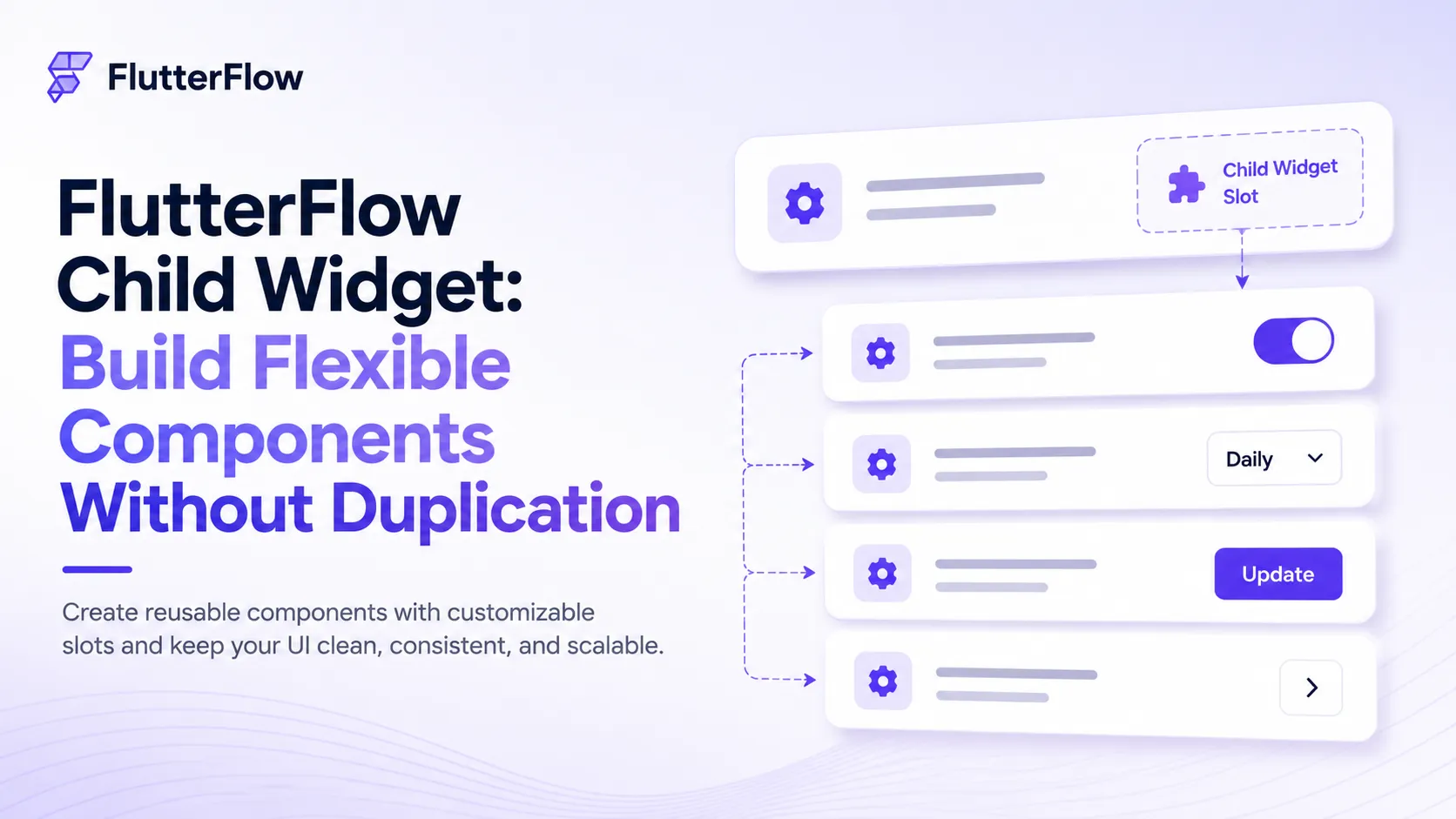
As your FlutterFlow project grows, you’ll often find yourself duplicating components just because one small section needs to be different. The new Child Widget feature solves this by letting you create reusable components with a customizable slot.
Instead of building multiple versions of the same component, you design it once and replace only the content inside the Child Widget.
What Is a Child Widget?
A Child Widget is a fixed placeholder inside a component where you can drag and drop different widgets for each instance.
For example, create a Settings Row once with:
- Icon
- Title
- Subtitle
- Child Widget Slot
Now you can reuse the same component and insert:
- Toggle Switch
- Dropdown
- Button
- Chevron Icon
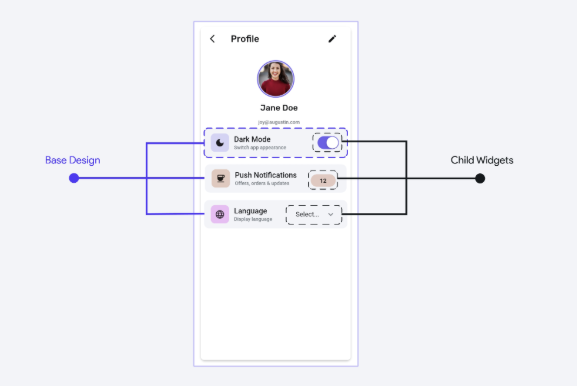
The layout stays the same while only the trailing content changes.
Real-World Use Cases
Child Widgets are useful for many UI patterns, including:
- Dashboard Cards — Swap a chart, stat counter, or activity list.
- Empty States — Change the action button for different screens.
- Onboarding — Replace an image, animation, video, or form.
- Profile & Settings — Insert different controls like toggles, badges, or buttons without creating new components.
Child Widget vs. Widget Builder Parameter
| Feature | Child Widget | Widget Builder Parameter |
|---|---|---|
| Customization | Drag-and-drop customization | Passed as a parameter |
| Setup | No setup required | More configurable |
| Best for | Simple reusable layouts | Advanced, scalable components |
A simple way to remember it:
- Child Widget = A customizable slot inside your component.
- Widget Builder Parameter = A widget passed into the component like a function argument.
Best Practices
- Give the Child Widget a clear purpose, such as an action area or trailing widget.
- Use it when the UI structure changes, not just the text or icon.
- Avoid using it for data-driven repeated layouts like product grids or chat lists.
Final Thoughts
Child Widget may seem like a small feature, but it can significantly reduce duplicate components and make your FlutterFlow projects cleaner and easier to maintain.
If you’re building reusable UI, this is definitely a feature worth adding to your workflow.