Cloud architecture has changed dramatically over the last decade.
Developers no longer need to buy physical servers or manually manage every piece of infrastructure just to launch an application. Today, teams can choose from multiple deployment models — and two of the most popular are Serverless and Containers.
Both can scale applications, reduce infrastructure overhead, and support modern cloud-native development.
But they solve the problem in very different ways.
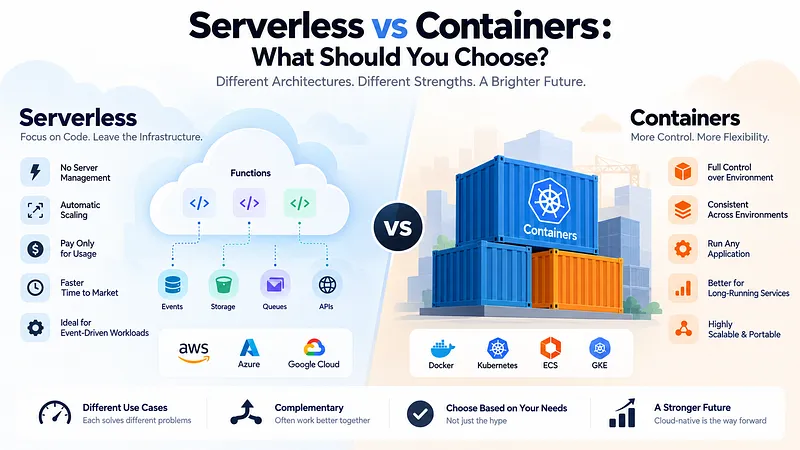
Serverless asks you to focus on the code and let the cloud provider manage most of the infrastructure. Containers give you much more control over how your application runs.
So, which one should you choose?
The answer depends less on which technology is more popular and more on how your application behaves, how much control you need, and what your team is prepared to manage.
1. Serverless: Focus on Code, Not Servers
The name can be slightly misleading.
Serverless applications still run on servers. The difference is that you don’t manage those servers directly.
With services such as AWS Lambda, Azure Functions, or Google Cloud Functions, you deploy your code and the cloud provider handles much of the underlying infrastructure.
A typical workflow might look like:
Event → Function → Response
For example, a user uploads an image.
That event can trigger a serverless function that:
Receives the file information
Processes the image
Stores the result
Returns a response
You don’t need to keep a server running 24/7 just to handle occasional requests.
This makes serverless particularly attractive for event-driven workloads.
2. Why Developers Choose Serverless
The biggest advantage of serverless is simplicity.
Instead of spending time managing infrastructure, developers can focus primarily on application logic.
Serverless platforms typically provide:
Automatic scaling
Managed infrastructure
Built-in availability features
Usage-based pricing
Fast deployment
Easy event integration
This can be especially useful for:
APIs
Webhooks
Background jobs
Scheduled tasks
Image processing
Notifications
Data processing
Event-driven applications
For a startup, this can significantly reduce the amount of infrastructure work required in the early stages.
You write the function. The cloud handles much of the rest.
3. But Serverless Isn’t Always Cheap
One common misconception is that serverless is automatically cheaper.
It can be — but it depends on the workload.
For applications with unpredictable or intermittent traffic, paying based on actual execution can be highly efficient.
But if your application is processing workloads continuously, serverless costs can become less attractive.
There are also other considerations:
Cold starts
Execution limits
Provider-specific restrictions
More complicated debugging
Vendor lock-in
Stateless execution patterns
Serverless works best when the architecture fits the model.
Don’t choose serverless simply because you don’t want to manage servers. Choose it because your workload benefits from serverless execution.
4. Containers: More Control, More Responsibility
Containers take a different approach.
Instead of deploying only individual functions, you package your application and its dependencies into a portable unit called a container.
Docker is one of the most widely used technologies for creating containers.
A container can include:
Application code
Runtime
Dependencies
Configuration
Required libraries
This creates a consistent environment between development, testing, and production.
For example:
Developer machine → Testing environment → Production
The same container image can move through each stage.
This reduces the classic:
It works on my machine.
problem.
5. Why Developers Choose Containers
Containers provide much more control over the application environment.
You can choose:
Runtime versions
System dependencies
Processes
Networking
Resource allocation
Deployment strategy
Scaling behavior
Containers are especially useful for:
Long-running applications
Microservices
Complex backend systems
Custom runtimes
APIs with predictable traffic
Applications requiring specific system dependencies
Workloads that need more control over infrastructure
Tools such as Kubernetes, Amazon ECS, and Google Kubernetes Engine can then orchestrate those containers at scale.
The trade-off is that more control means more responsibility.
Someone has to manage the infrastructure, deployment configuration, monitoring, security, networking, and scaling strategy.
6. Serverless vs Containers: The Real Difference
The easiest way to understand the difference is to think about responsibility.
Serverless
You manage:
Application code
Business logic
Configuration
Function behavior
Cloud provider manages much of:
Servers
Operating systems
Infrastructure scaling
Runtime infrastructure
Containers
You manage more of:
Application
Runtime
Container configuration
Resources
Deployment
Infrastructure
Scaling strategy
The fundamental trade-off is:
Serverless = less infrastructure control, less infrastructure management
Containers = more infrastructure control, more infrastructure management
7. Performance Depends on the Workload
It’s easy to say that containers are faster or serverless is more scalable.
Neither statement is universally true.
Serverless can scale extremely well when workloads are event-driven and unpredictable.
Containers can be more appropriate when applications require:
Persistent processes
Predictable performance
Long-running workloads
Custom environments
Fine-grained resource control
Consider a background image-processing task that runs only a few times per hour.
Serverless could be an excellent fit.
Now imagine a continuously running media-processing service that requires specialized dependencies and predictable resource allocation.
A container could be a better choice.
Architecture should follow workload characteristics, not technology hype.
8. The Hidden Cost: Operational Complexity
The biggest difference may not appear on the architecture diagram.
It appears when something goes wrong.
With serverless, the cloud provider handles much of the infrastructure — but debugging distributed functions, event chains, permissions, retries, and provider-specific behavior can become complicated.
With containers, you have greater visibility and control, but you also inherit more operational responsibilities.
You may need to manage:
Container health
Resource limits
Networking
Service discovery
Logging
Deployment strategies
Security
Orchestration
So the question isn’t:
“Which technology has less complexity?”
It’s:
“Which complexity is better suited to our team?”
9. You Don’t Have to Choose Only One
This is where modern cloud architectures become interesting.
A real application can use both serverless and containers.
For example:
Mobile App
↓
Containerized API
↓
Database
And separately:
User Upload
↓
Storage Event
↓
Serverless Function
↓
Image Processing
The API might need a continuously running environment, while image processing may only need compute when an event occurs.
Using different technologies for different workloads can be more effective than forcing the entire application into one architecture.
The best architecture isn’t necessarily consistent everywhere. It’s optimized for each workload.
10. When Should You Choose Serverless?
Choose Serverless if:
Your workload is event-driven.
Traffic is unpredictable.
You want minimal infrastructure management.
Your functions are relatively short-lived.
You want to move quickly.
Automatic scaling is important.
You prefer paying primarily for actual execution.
Serverless can be particularly attractive for startups and small teams that don’t want to build a large infrastructure operation too early.
11. When Should You Choose Containers?
Choose Containers if:
Your application runs continuously.
You need extensive environment control.
You have custom runtime requirements.
Your workloads are long-running.
You need predictable resource allocation.
You are building multiple microservices.
Your team has the expertise to manage container infrastructure.
Containers become especially powerful when an organization needs consistency and control across complex environments.
12. The Decision Framework
Instead of asking:
Serverless or Containers?
Ask these questions:
How does the application run?
Event-driven and intermittent?
→ Serverless
Continuous and long-running?
→ Containers
How much infrastructure control do you need?
Minimal?
→ Serverless
Fine-grained control?
→ Containers
How much operational expertise does your team have?
Small team with limited infrastructure experience?
→ Serverless may be easier
Experienced DevOps/platform team?
→ Containers become more practical
Does your application have different workloads?
If yes, use both where appropriate.
The Bigger Picture: Cloud Architecture Is Becoming More Flexible
The future of cloud computing isn’t necessarily going to be dominated by serverless or containers.
Both approaches are becoming building blocks of larger architectures.
Containers provide portability, control, and consistency.
Serverless provides abstraction, elasticity, and operational simplicity.
Modern applications can combine them with managed databases, queues, object storage, APIs, and other cloud services.
The real skill isn’t memorizing which architecture is fashionable.
It’s understanding what your workload needs and choosing the simplest architecture that satisfies those requirements.
Final Thoughts: Choose the Workload, Not the Hype
Serverless and containers aren’t competing technologies where one will eventually eliminate the other.
They represent different trade-offs.
Serverless is excellent when you want to focus on code and minimize infrastructure management.
Containers are powerful when you need control, portability, and predictable long-running environments.
And in many real-world systems, the answer is simply:
Use both.
Start with the simplest architecture that solves today’s problem.
As your application grows, introduce containers, serverless functions, queues, or other infrastructure only when they provide a meaningful advantage.
Because the best cloud architecture isn’t the one with the most sophisticated technology.
It’s the one that delivers the right balance of cost, performance, scalability, control, and operational effort for your application.